
For buyer's agents and listing agents
Never lose a client to a missed deadline.
A missed contingency costs more than the deal. It costs the client, their referrals and your name. Snap your contract and in about 20 seconds HomeAxis has every deadline and task on a dated playbook and your first client text drafted. You run the deal. It runs the checklist.
No card. Works on iPhone, Android and the web with one account.
- Built by a working Realtor
- Texts go from your own phone
- Never sends anything without you
Every deal has thirty deadlines. Miss one and you lose more than the deal.
The deals that go wrong are rarely about the big things. They are the inspection contingency, the mortgage commitment date, the one text you meant to send between showings. Each one costs a client, and the referrals that client would have sent. Reputation is the job.
You rebuild the checklist every deal
Same steps, new dates, every time. It is work that adds nothing, and one slip costs a client.
One amendment and your reminders are wrong
Closing moves a week and half of what you wrote down is now off. You are the only system keeping it straight.
"Any update?" all week
Clients want to know what is happening. You write the same text to each one, from memory, in the car.
Contract in. Deadlines out. About 20 seconds.
One photo of the signed contract, or the PDF. Here is what happens next.
Snap the contract
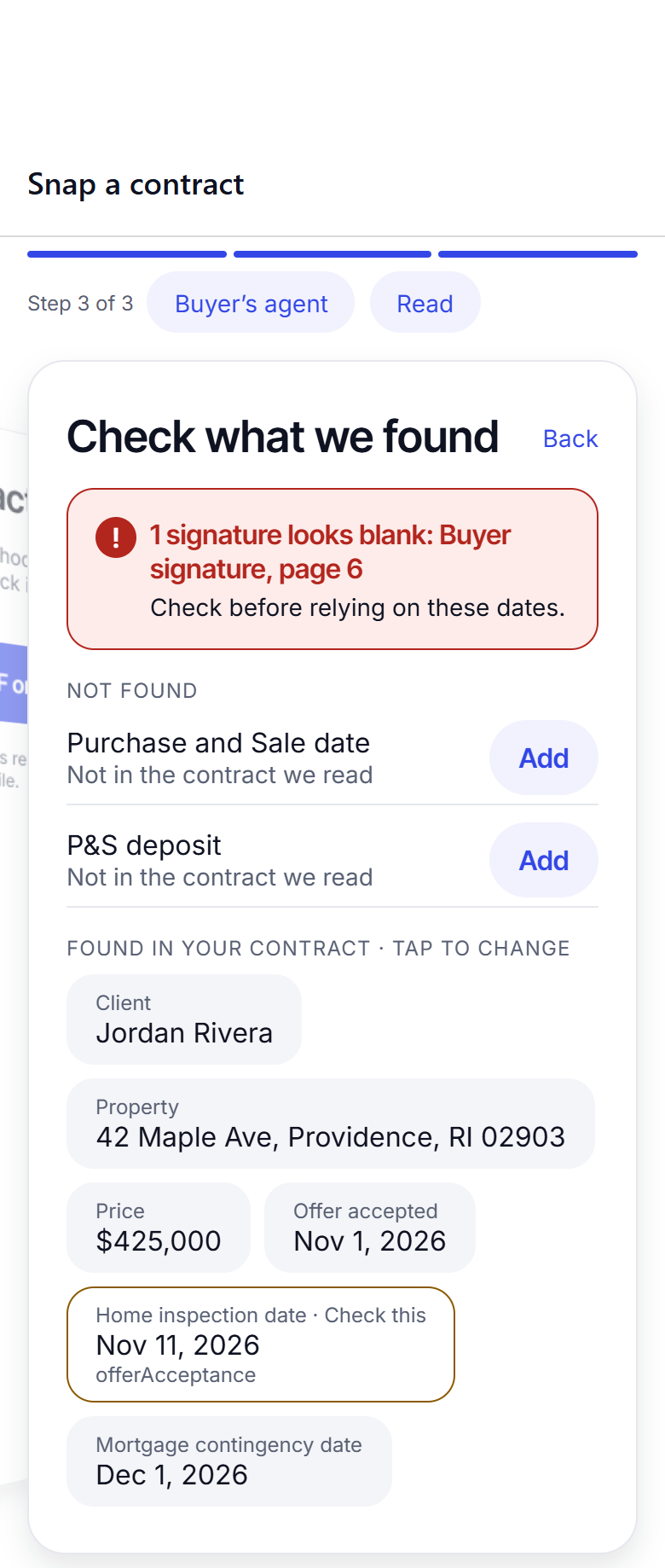
HomeAxis reads the offer and closing dates, every contingency and the parties, and shows you what it found. Fix anything, then save.
Your playbook, dated
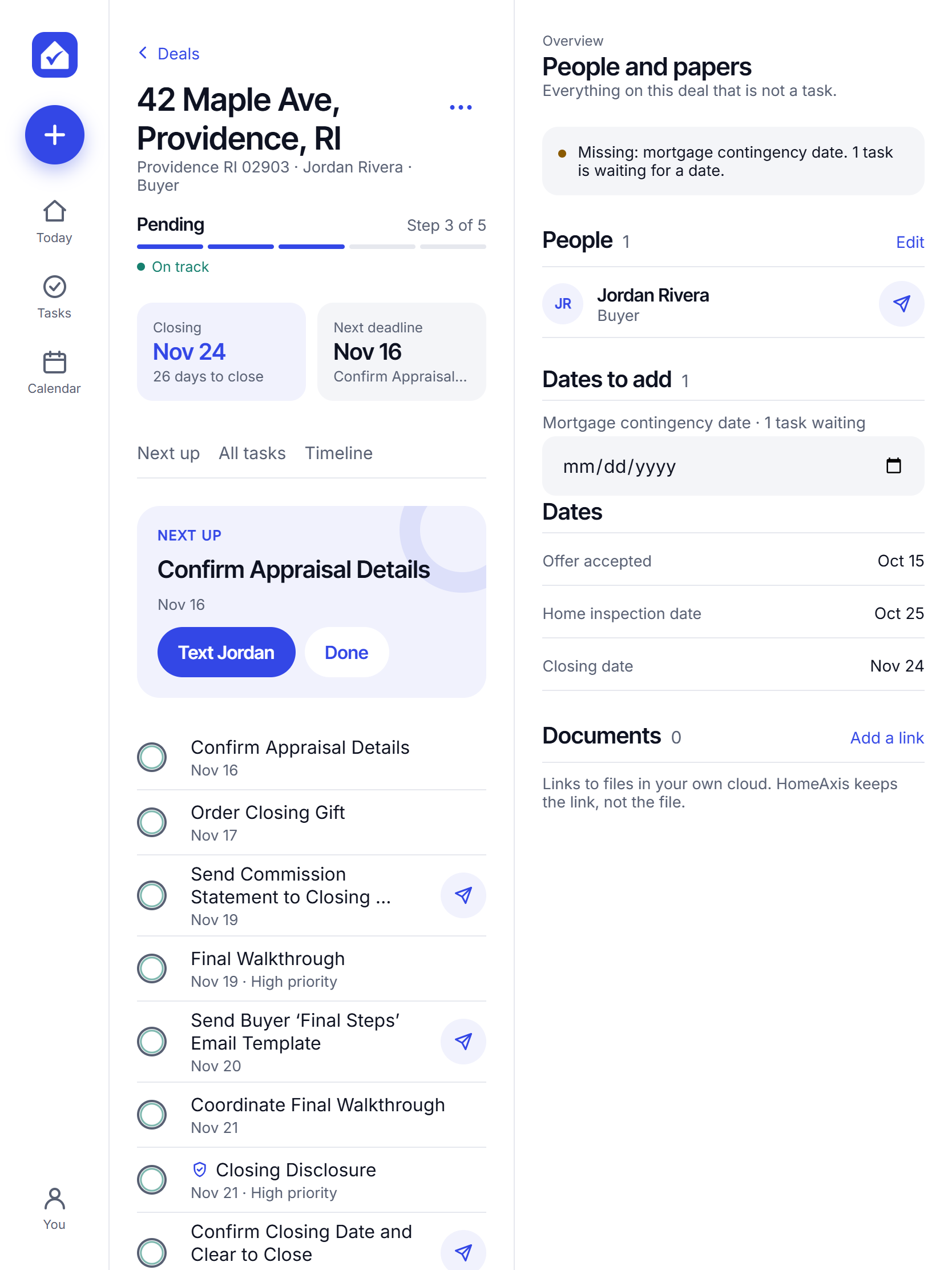
Every task for a buyer or seller deal lands on the right day, counted from your contract: inspection, P&S, commitment, appraisal, walk-through, closing day.
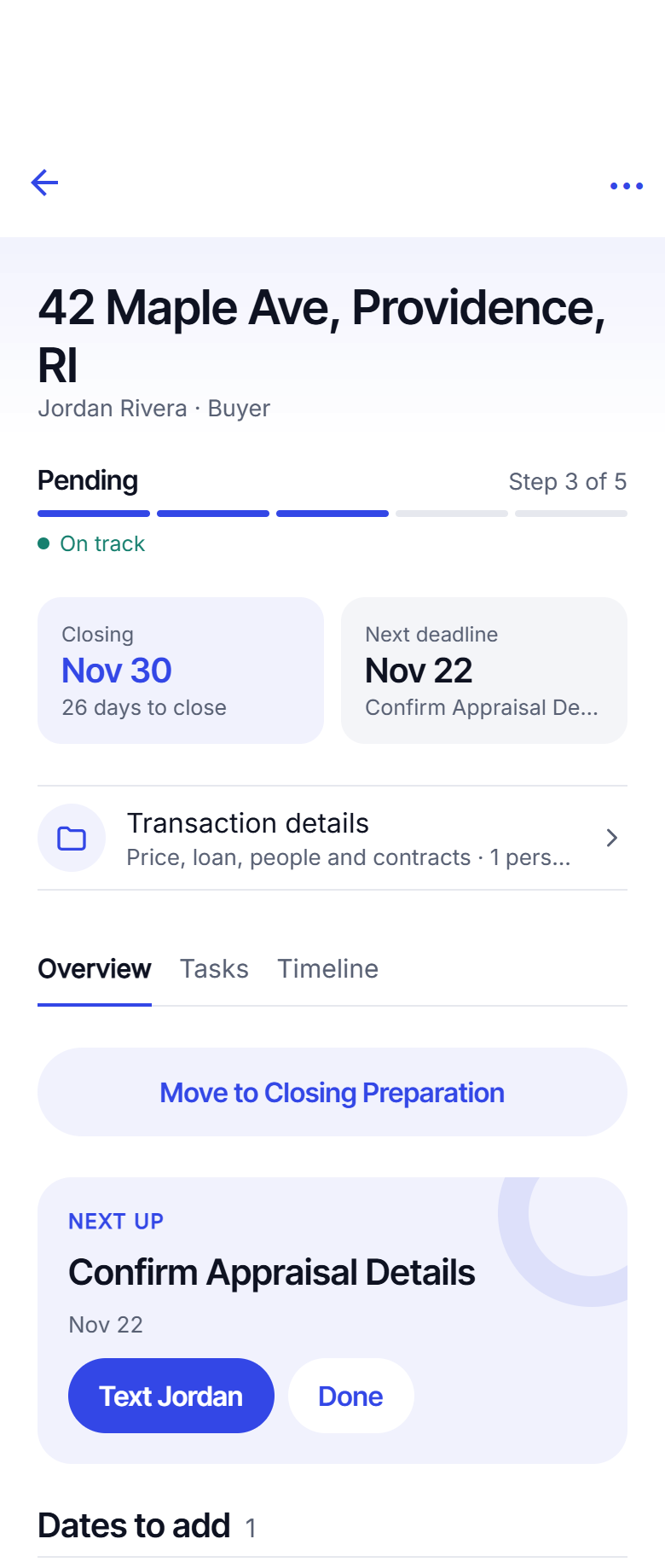
Your first text, drafted
The update to your client is waiting on the task. Tap it, Messages opens with the text filled in, and you tap Send. From your own phone, your own number.

Your client feels looked after. That is where referrals come from.
Agents are hired on referrals and reviews. HomeAxis is built around the client's experience of you, not around a task list.
A private page for each client, with your logo
Give your client a link and a PIN. They see your photo and logo, the stage and closing day, what you did this week, the documents you chose to share, and a message thread back to you. Never your notes, prices, commission or other people's details.
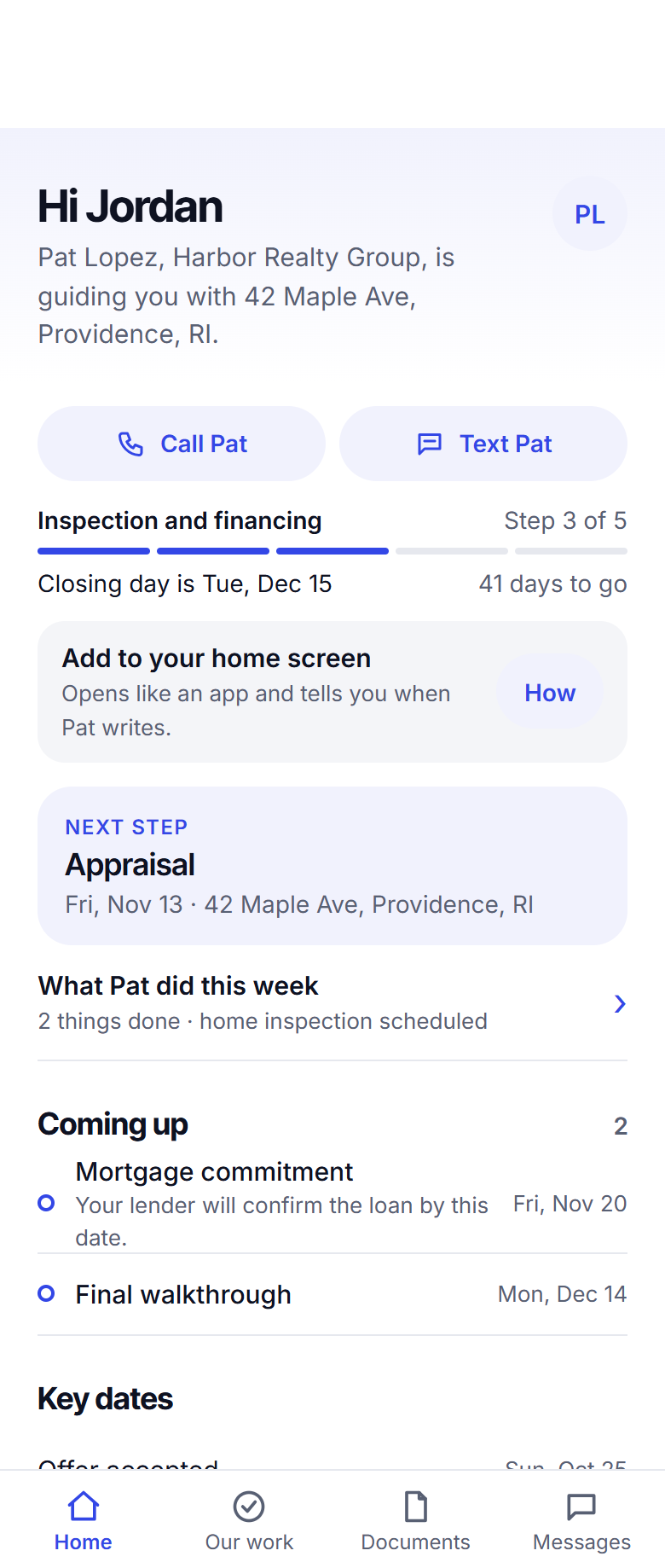
It catches what you would miss
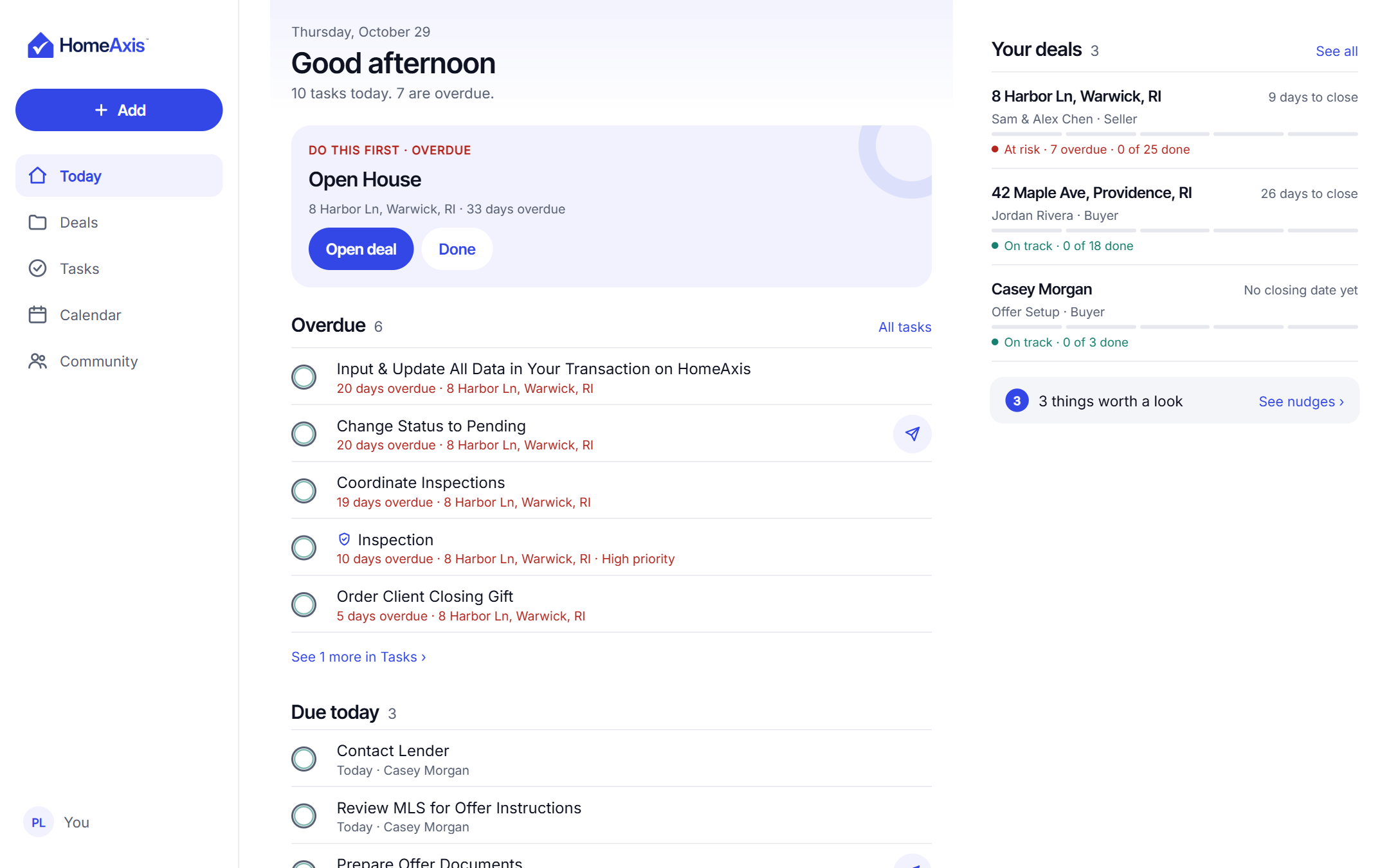
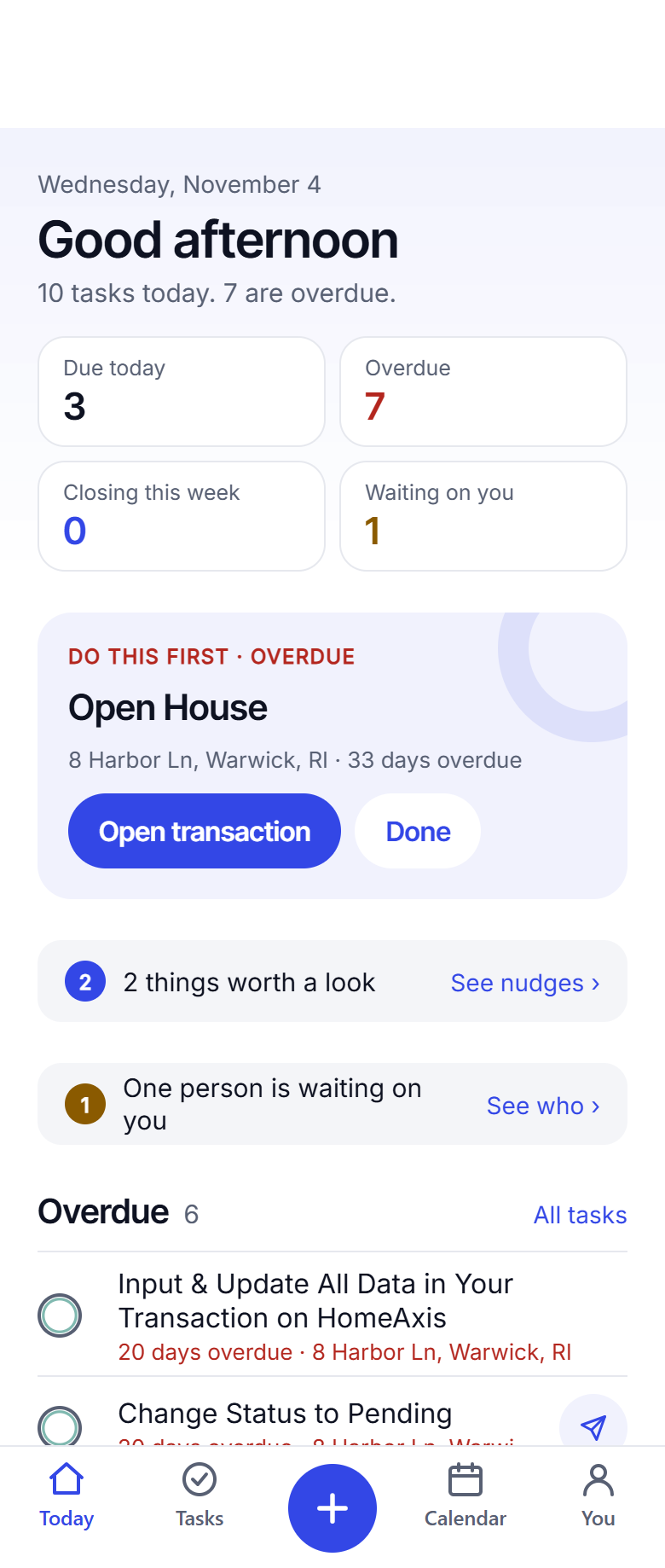
Today shows what is due, what is overdue and which deal is waiting on you. Nudges flag a client you have not touched in a week, a co-broker who went quiet, a deal missing a date. A morning summary tells you the day before it starts.
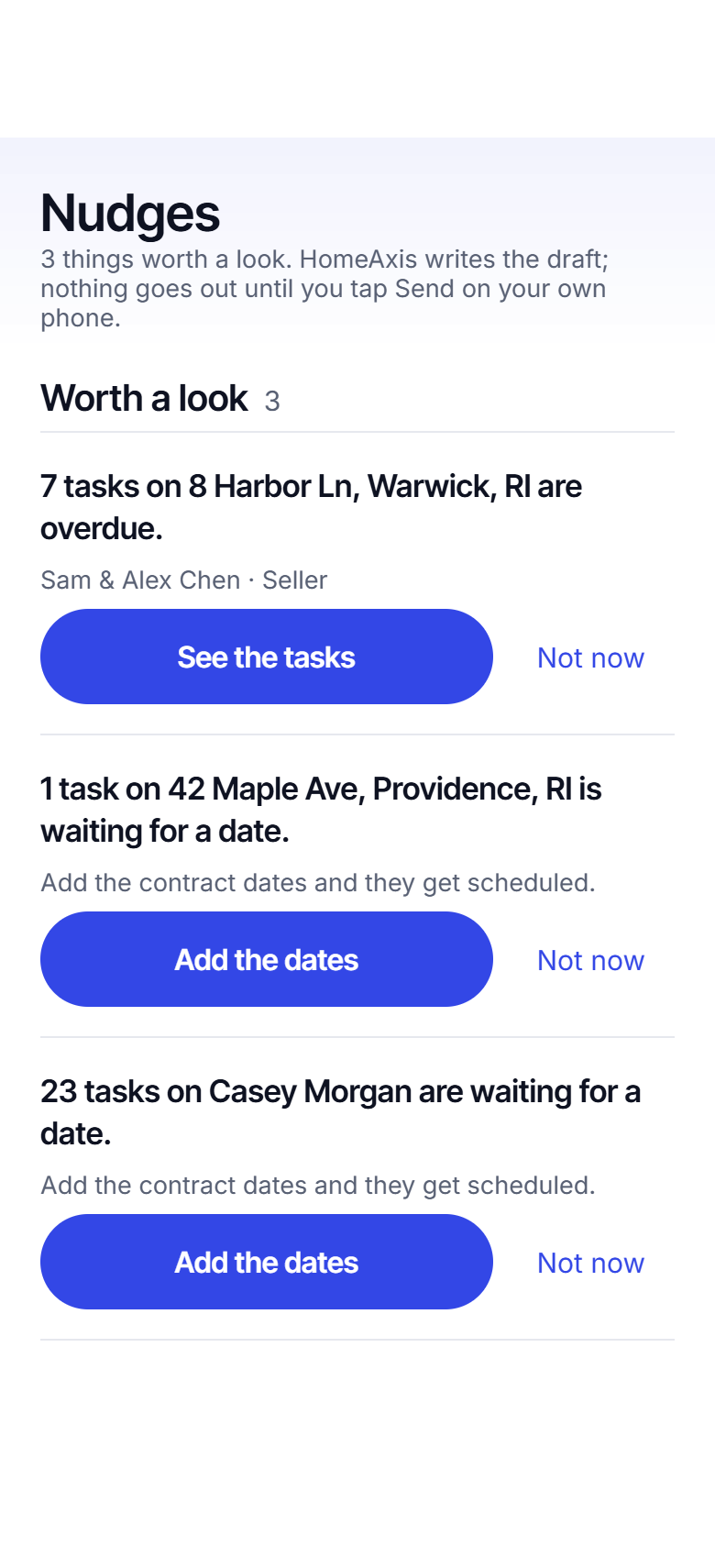
Your phone between showings. Your laptop at the office. The same deal everywhere.
These are real screens from HomeAxis, not drawings. One account, one pipeline, on iPhone, Android, tablet and the web.
Everything a deal needs, nothing it does not.
Snap your contract
Photo or PDF in, dates and tasks out, in about 20 seconds. Snap the amendment and the tasks move.
Buyer and seller playbooks
26 buyer tasks, 48 seller tasks, each counted from a contract date. Edit yours once; every new deal uses it.
Texts and emails, written for you
The milestone text, the intro email to the lender and attorney, the check-in to the co-broker. You tap Send.
Nudges and a morning summary
A quiet client, a missing date, a closing next week: flagged before it costs you.
A private page for each client
Link plus PIN, your logo, what is done and what is next, messages both ways.
Share with the co-broker
One tap sends the address and dates from your own Messages app. Never your client's details or your notes.
Every closing on one calendar
Month or week, with the day's tasks underneath.
Documents stay yours
Links to the files in your own Drive, Dropbox, OneDrive or iCloud. HomeAxis keeps the link, never the file.
Past clients
A text drafted a week after move-in, on the home anniversary, and when it is time to ask for a review.
2 deals free. No card. Then pay per deal or go unlimited.
Clients and prospects are always free. A transaction counts when a buyer goes under contract or a seller signs the listing agreement.
Per deal
$14.99once, per deal
For the agent with a few deals a year. Pay per transaction, nothing in between.
Start freeUnlimited
$9.99a month
Every deal, cancel any time. Cheaper than per deal from your first deal in a month.
Start free
Plus adds the private client page and AI-written drafts: $19.99 per deal or $14.99 a month. Teams, offices and Signature Partner communities: see pricing.
Built by a working Realtor.
HomeAxis started because its founder was tired of rebuilding the same deadline checklist for every deal, and of losing the personal touch to tools that sent things for him. So HomeAxis drafts, and you send. Patent pending.
Questions agents ask
Does HomeAxis send texts or emails to my clients?
No. It drafts the text or email on the task. You tap it, your own Messages or mail app opens with the text filled in, and you tap Send. It goes from your phone and your number. HomeAxis never sends anything itself.
What does "Snap your contract" actually read?
The dates: offer acceptance, inspection, P&S, mortgage commitment, appraisal and closing, plus the parties. It puts them on the deal, builds every task from them, and shows you what it found so you can correct anything before you save. You are responsible for checking the dates against your contract.
What if the closing date changes?
Change it once, or snap the amendment, and every task that hangs off that date moves with it. Tasks you finished or deleted stay as they were.
Where are my documents?
In your own Google Drive, Dropbox, OneDrive or iCloud. You paste the link on the deal; HomeAxis keeps the link, never the file. Documents never go to the co-broker link, and only the ones you choose go to the client page.
Does it work on iPhone, Android and my computer?
Yes. One account on all three, with the same deals, tasks and playbooks.
How much does it cost?
Your first 2 deals are free, no card needed. After that, $14.99 per deal or $9.99 a month for unlimited deals. Plus, with the private client page and AI-written drafts, is $19.99 per deal or $14.99 a month. Cancel any time. Buyer clients before an offer and seller prospects before the listing agreement are always free.
Add your first deal today.
About 20 seconds from contract to a dated playbook. The first 2 are free.
Start free: 2 deals, no cardAlready have an account? Log in. Lead a team or run a brokerage? See offices.