
Deadline tracking
The inspection contingency is in 6 days. You will know before it matters.
A missed contingency is the mistake that costs a client. HomeAxis counts every deadline from your contract, watches them for you, and tells you the day before, not the day after.
No card. Works on iPhone, Android and the web with one account.
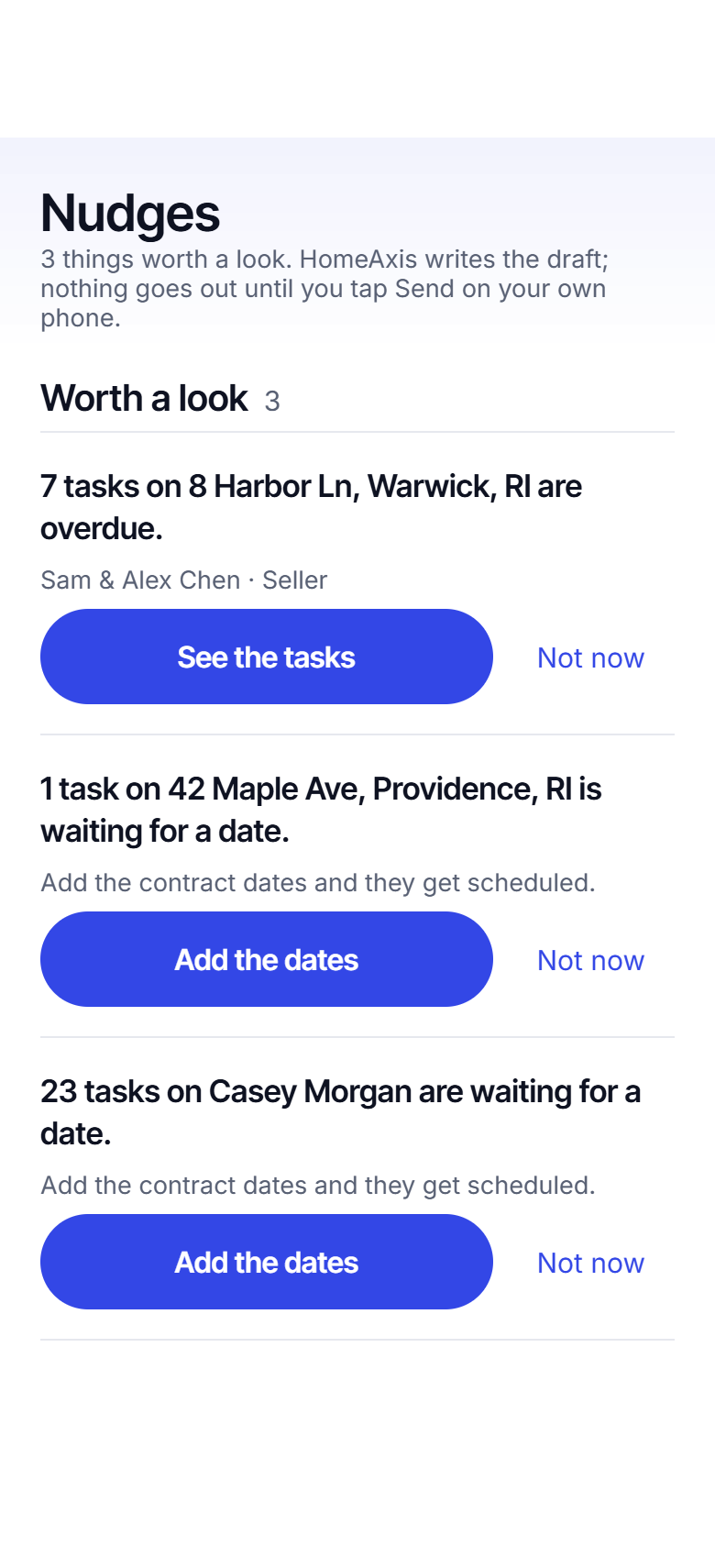
Open the app and the day is already sorted
Today: due, overdue, waiting on you
One card at the top says what to do first. Under it, today's tasks across every deal, with the text drafted where there is one. Overdue tasks are red and stay at the top until they are done. A "waiting on you" row shows the deals where the next move is yours.
A morning summary arrives at the hour you pick, so you know the day before you are in the car.
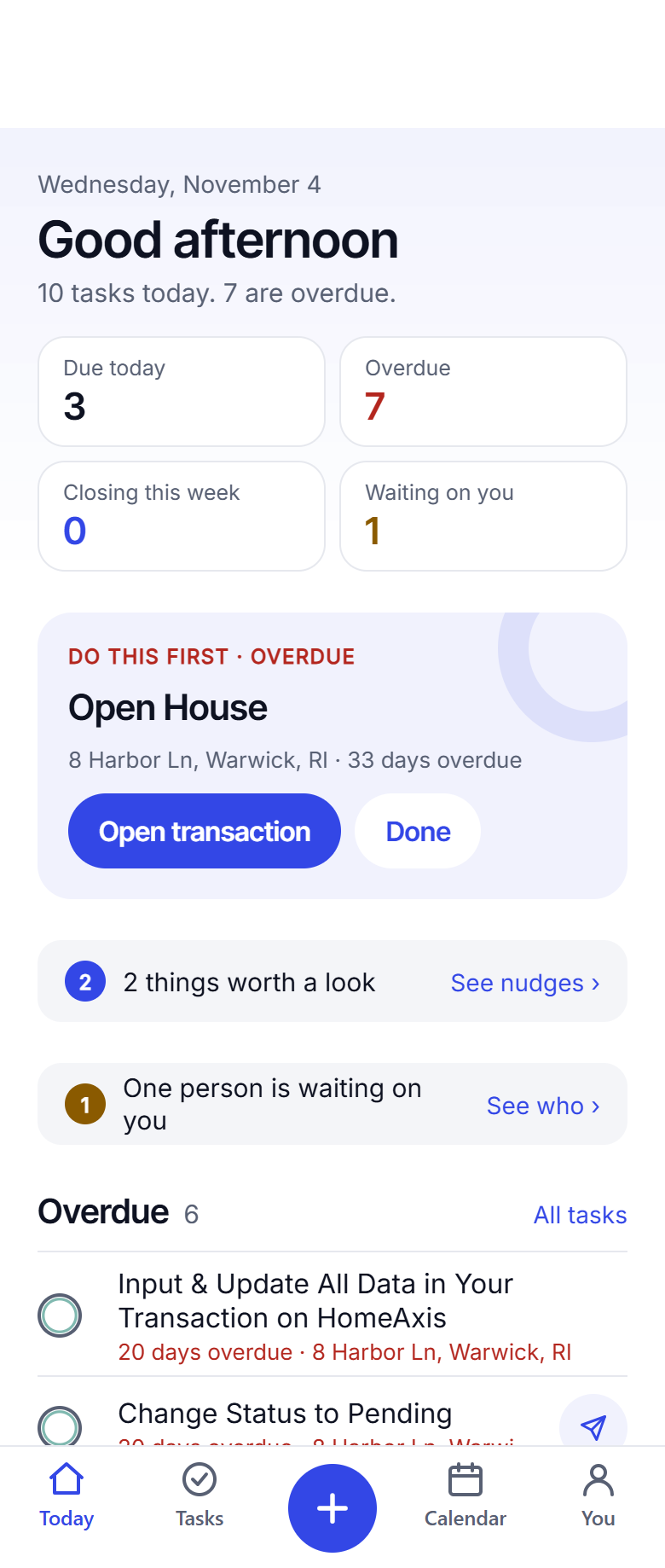
Every closing on one calendar
Month or week, every deadline and closing across your deals, with the day's tasks underneath. A red dot is overdue, a blue dot is due. Tap a day and see what is on it.
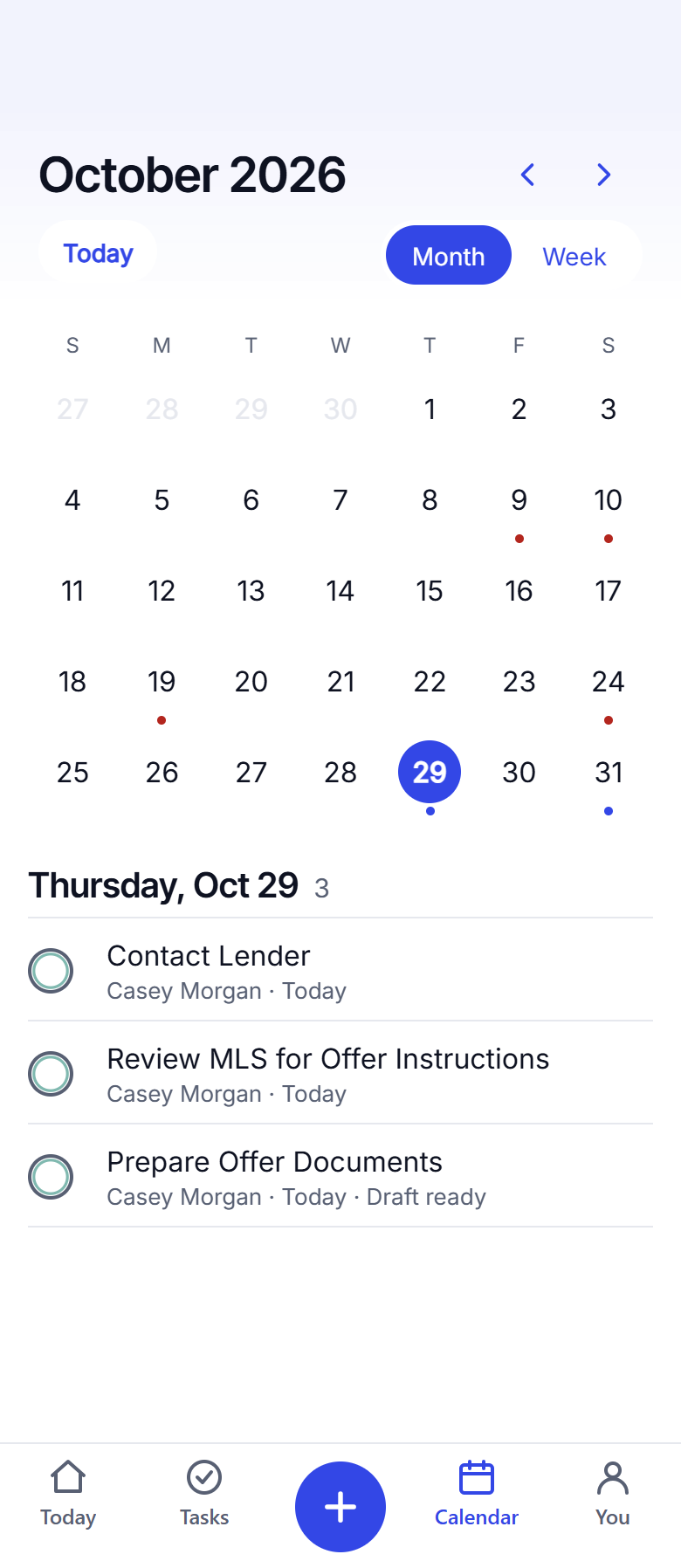
It catches what you would miss
A quiet client
Seven days with no contact and a nudge appears, with a check-in text drafted. You tap Send.
A deal waiting for a date
Tasks that hang off a date you have not added yet are listed, with one tap to add it. The moment you do, they are scheduled.
A closing next week
The closing-day pack appears on Today: the walk-through, the closing disclosure, the final confirmation text to your client.
Questions agents ask
Which deadlines does it track?
Whatever your contract sets and your playbook counts from: inspection, Purchase and Sale, mortgage commitment, appraisal, final walk-through, closing disclosure, closing, plus any extra contingency or open house you add. Each one is a date on the deal, and every task hangs off one of them.
How does it remind me?
Four ways. Today shows what is due and overdue. A morning summary arrives at the hour you choose. Task reminders fire the morning a task is due. An urgent alert goes out when something is past due and still open. All on your phone, and nothing goes to anyone else.
What is a nudge?
A short note on the Nudges screen when something needs a look: a client you have not been in touch with for a week, a co-broker who has not replied, a deal waiting for a date, a closing within seven days. Each nudge has the next step ready, often a drafted text.
What if the dates change?
Change the date on the deal, or snap the amendment, and every task counted from that date moves. Finished tasks stay finished.
Is this legal advice?
No. Deadlines are calculated from the dates you enter and your own playbook. You are responsible for checking them against your contract and your state’s rules.
Keep reading
Add your first deal today.
About 20 seconds from contract to a dated playbook. The first 2 are free.
Start free: 2 deals, no cardAlready have an account? Log in. Lead a team or run a brokerage? See offices.